← All comparisons
Move your tasks to Irkless
Most moves take an evening: paste your lists in and sort them when you have a minute. Keep your old app until you're sure.
How pasting works
- Get your tasks out of your old app as text, one task per line. From a CSV export, open it in a spreadsheet and copy the column of task names.
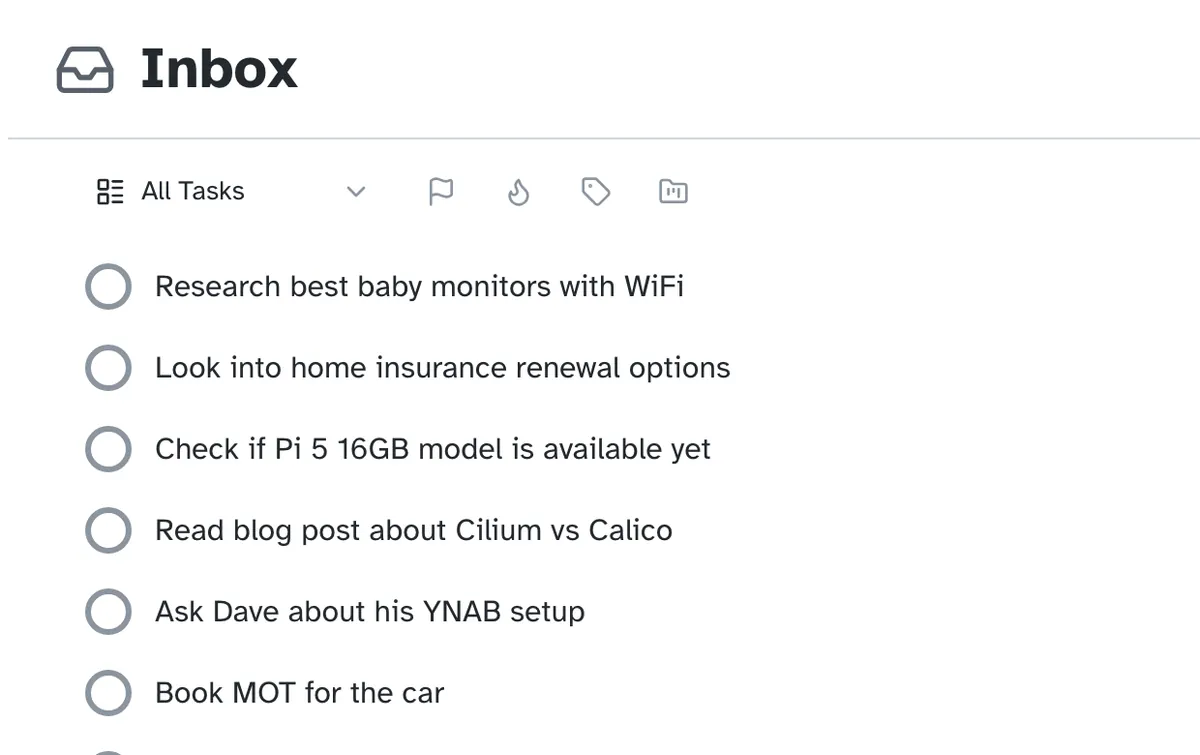
- In Irkless, open a project or the Inbox and paste. Each line becomes a task, and a line indented under another becomes its subtask.
- Lines written as
- [ ]checklist items come across too; ticked ones are skipped.
From your current app
| Coming from | Getting your tasks out |
|---|---|
| Nirvana | Export your data as CSV, open it in a spreadsheet and copy the column of task names. |
| Todoist | Export a project as CSV, open it in a spreadsheet and copy the column of task names. |
| Toodledo | Export your tasks as CSV, open it in a spreadsheet and copy the column of task names. |
| Any.do | Get your tasks out as plain text, one task per line. |
| OmniFocus | Get your tasks out as plain text, one task per line. OmniFocus for iPhone and iPad can export a CSV: copy the column of task names. |
| Apple Reminders | The Irkless Mac app (private beta) imports a list straight into your Inbox. On the web, paste a list instead. |
| Things 3 | Select the to-dos in a list and copy them. Each comes across with its start and due dates; one copied on its own keeps its notes and tags too. |
| TickTick | Get your tasks out as plain text, one task per line. |
| Sunsama | Get your tasks out as plain text, one task per line. |
| Workflowy | Get your to-dos out as plain text, one per line, keeping the indentation. |
| Asana | Export a project as CSV, open it in a spreadsheet and copy the column of task names. |
After the move
Sort, don't rebuild
File each task into a project, Today, Someday or Waiting For as you come to it.
Do a first review
Review walks you through every project, so nothing came across without a next step.
Keep your old app
The trial is 30 days with no card, so there's no rush to delete anything.
Coming back?
A backup you exported from Irkless imports in Settings, files and all.
Try it on a real week
Thirty days, every feature, no card. Put this week's tasks in it and see whether you trust it by Friday.