What it does.

From quick thought to checked box. Here's the whole workflow.

Capture

Get stuff out of your head.

Inbox

The default landing zone for every new idea.

See how it looks ↓
Inbox view in light theme

Clutter-free capture

Throw everything in the Inbox first. Sort it out later. The interface is clean and distracting elements fade away.

  • Capture ideas the moment they hit you
  • Stop worrying about forgetting things
  • Decide what to do with them later, not now

Quick Add

Capture tasks from anywhere with a keyboard shortcut.

See how ↓
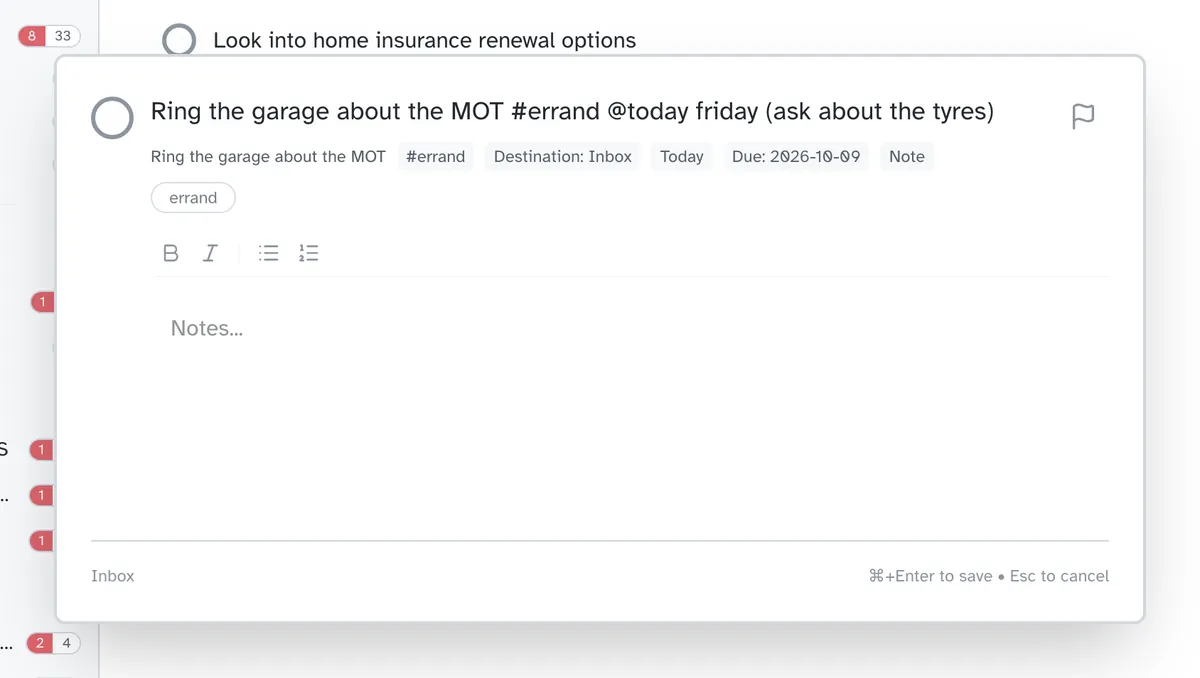
Quick-add task dialog

Never break your flow

A single keyboard shortcut brings up the Quick Add modal. Type your thought, hit Enter, and it's saved instantly.

  • Stay in flow—don't switch windows to capture a thought
  • Add details later when you have time
  • Never lose an idea again

Rich Notes

Markdown support for all your details.

View notes ↓
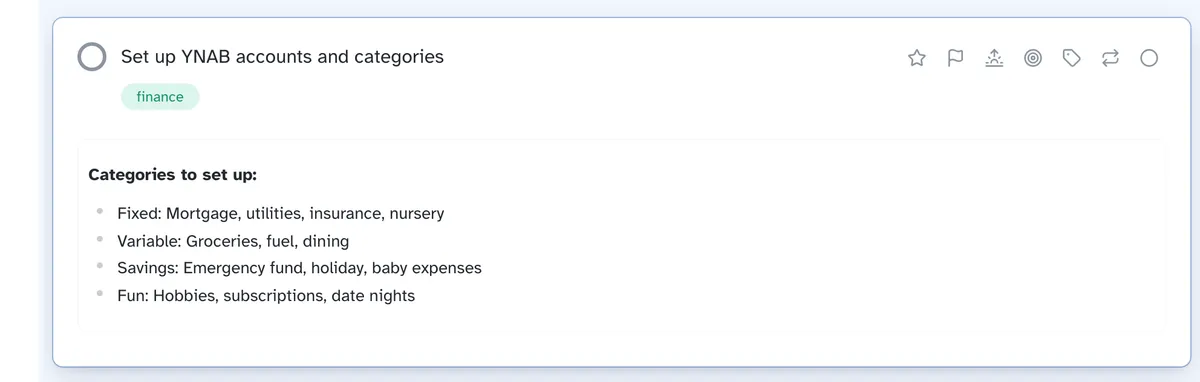
Markdown notes editor

Detail is in the details.

Paste code snippets, create lists, or write a mini-essay. The notes field expands to fit your thoughts.

  • Keep all the context right where you need it
  • Reference code, links, or instructions without leaving the task
  • Format notes so they're actually readable

Checklists

Interactive checkboxes right in your notes.

See checklists ↓
Checklists within task notes

Break it down further

Sometimes a task needs a sub-list. Add `- [ ]` to your notes to create clickable checkboxes.

  • Break big tasks into manageable steps
  • See progress at a glance without opening the task
  • Check things off as you go

Attachments

Keep reference material close.

See attachments ↓
File attachments on tasks

Everything in one place

Drag and drop images, PDFs, or documents directly onto a task. They sync across all your devices.

  • Stop hunting for that PDF you need
  • Reference materials travel with the task
  • Access files from any device

Organize

Put things where they belong.

Projects

Group tasks by finite goals.

View structure ↓
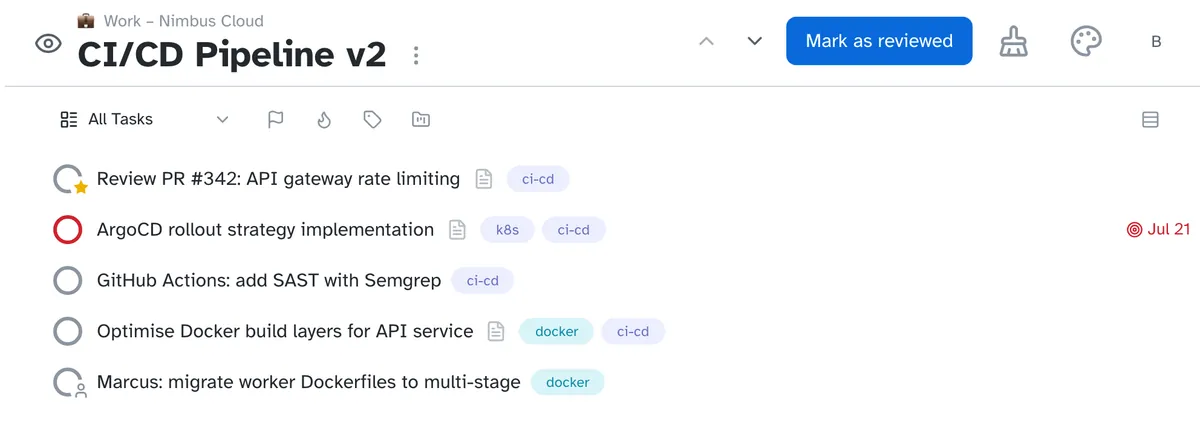
Projects View

Movable pieces

Projects hold tasks that share a goal. Drag tasks in and out, or reorder them to prioritize.

  • See how close you are to finishing
  • Reorganize your plan as priorities shift
  • Know when things are due

Areas

High-level responsibilities like 'Work' or 'Home'.

View areas ↓
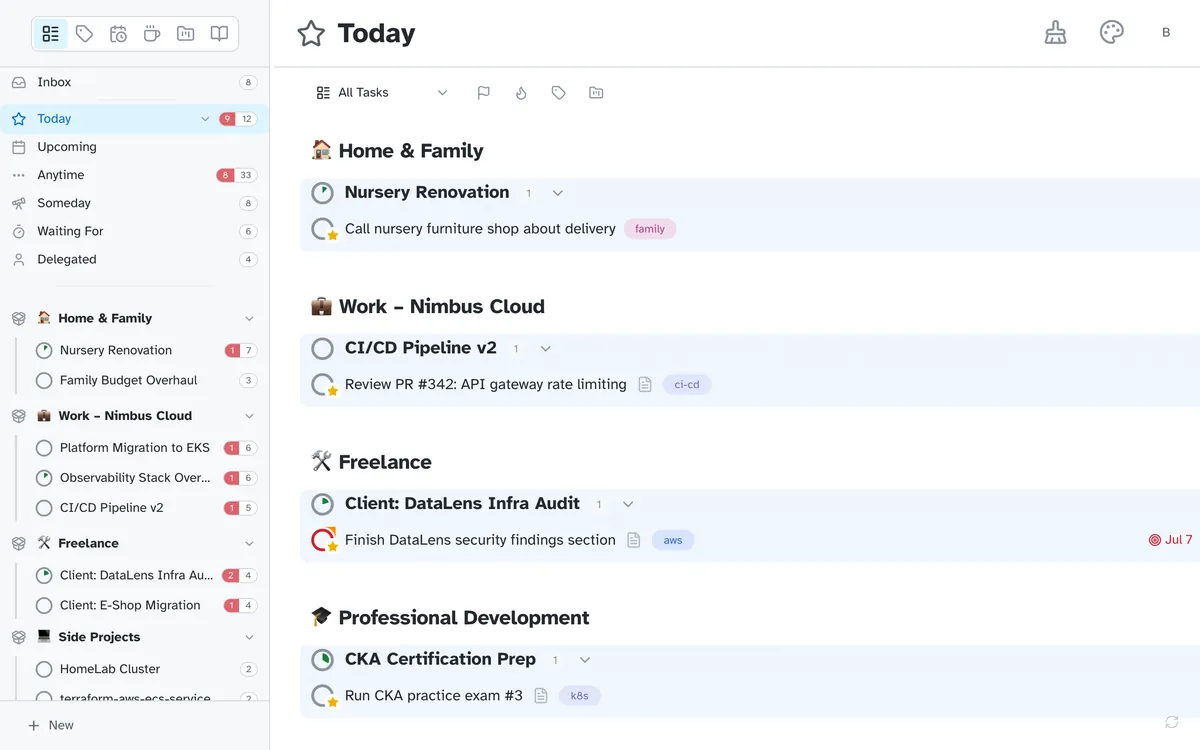
Areas of focus with selected area

The 10,000ft view

Areas contain projects and tasks. They represent the ongoing parts of your life that don't have a completion date.

  • Keep related work together
  • Hide entire chunks of your life when you're off the clock
  • Find work stuff without wading through personal tasks

Tags

Cross-cutting context filters.

See tagging ↓
Hierarchical nested tags

Hierarchical Context

Tags can be nested. Filter by @chores to see everything inside @chores/kitchen and @chores/garden.

  • Filter once, see everything that matches
  • Organize your way, not ours
  • Find tasks by context, not just project

Priority

Mark what matters most.

See prioritization ↓
Flagged high-priority tasks

Focus on the critical

Flag tasks to highlight them across all views. They bubble up to the top so you never miss a deadline.

  • Important tasks stand out everywhere
  • Spot your must-dos at a glance
  • Quick to flag, quick to unflag

Subtasks

Nest tasks infinitely.

See hierarchy ↓
Subtasks Tree

Complex tasks made simple

Turn any task into a parent. Collapse trees to focus or expand to see the nitty-gritty details.

  • Handle complex work without losing the big picture
  • Know when a parent task is truly done
  • Move entire chunks of work at once

Drag & Drop

Intuitive reorganization.

See interaction ↓
Drag and Drop

Feel your plan

Everything is draggable. Move tasks between projects, rescheduled them on the calendar, or change their priority manually.

  • Reorganize your plan in seconds
  • Move multiple tasks at once when priorities change
  • Put things where they belong without hunting through menus

Flexible Status

Someday, Waiting, Delegated.

See statuses ↓
Task Statuses

Not everything is 'Now'

Park tasks in 'Someday' to hide them from your daily lists, or mark them 'Waiting' if you're blocked.

  • Focus on what's actionable right now
  • Revisit parked ideas without cluttering your day
  • Work the way that makes sense for you

Plan

See what's coming up.

Forecast

See what's coming up this week.

View forecast ↓
Forecast View

No surprises

A linear view of the days ahead. See where your bottlenecks are and drag tasks to reschedule.

  • Never get blindsided by a deadline
  • Spot overloaded days before they happen
  • Reschedule with a simple drag

Recurring

Powerful repetition rules.

See habits ↓
Recurring task configuration

Set and forget

"Every Monday", "Last day of the month", or "3 days after completion". We handle the complex schedule logic for you.

  • Build habits that stick
  • Handle the quirky schedules life throws at you
  • Take a break without breaking your streaks

Review

Keep your sanity with a regular check-in.

See review mode ↓
Review Interface

Stay trusted

The "Review" perspective walks you through your open loops ensuring nothing slips through.

  • Catch forgotten commitments before they become problems
  • Stay on top of your system with a repeatable routine
  • Start each week with a clear head

Collections

Save custom filters as smart lists.

See collections ↓
Collections

Smart views

Focus on what's important. Create a collection for "Work tasks due this week tagged High Priority".

  • Stop rebuilding the same filter every time
  • One click to see exactly what you need
  • Lists update automatically as tasks change

Do

Actually get things done.

Partial Completions

Progress isn't binary.

See progress ↓
Partial completion progress tracking

Chip away at it

Use a modifier-click on a checkbox to mark it partially done. Perfect for when you started something but didn't finish.

  • Feel good about progress even when something isn't 'done'
  • Know at a glance what's been started
  • Focus on what still needs attention

Live Filters

Instantly narrow down any view.

View filters ↓
Filter tasks by tag dropdown

Find needle in haystack

Start typing anywhere to filter the current list. Drill down by name, tag, or priority instantly.

  • Find what you need without scrolling
  • Works everywhere, same experience
  • Hands stay on keyboard

Global Search

Jump to anything, anywhere.

View search ↓
Search

Instant navigation

Open the command palette with a keyboard shortcut. Find tasks, projects, or commands.

  • Find anything in seconds, even if you barely remember it
  • Jump to recent items instantly
  • Get around faster than with a mouse

Logbook

Celebrate what you've achieved.

See history ↓
Logbook View

A history of done

Completed tasks aren't just deleted. They move to the Logbook, searchable and organized by date.

  • Look back on what you've accomplished
  • See patterns in your productivity
  • Undo accidental checkoffs anytime

Personalize

Set it up your way.

Display

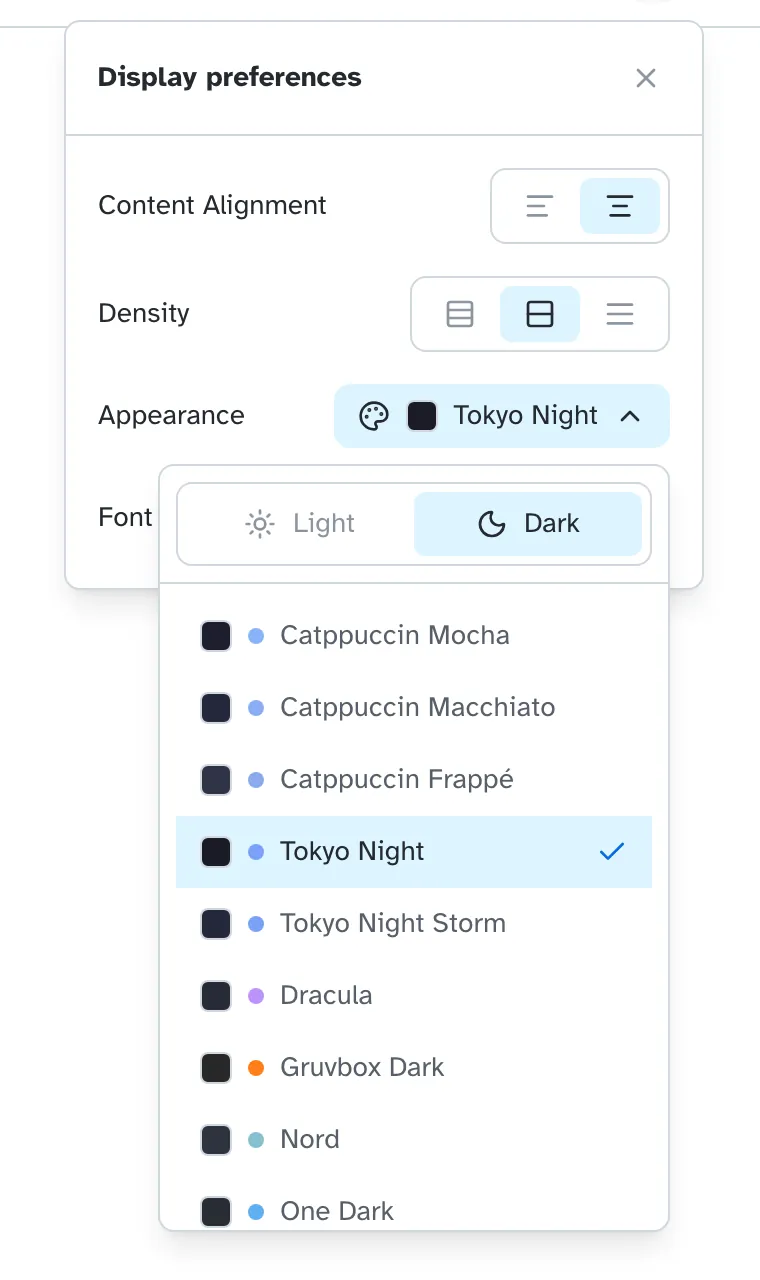
Themes, fonts, density, alignment.

See options ↓
Display preferences settings

Your workspace, your rules

Fine-tune every aspect of your interface. Change themes, pick accessibility-friendly fonts, adjust information density, and choose content alignment.

  • Work in a space that feels like yours
  • Reduce eye strain with fonts that work for you
  • See more or less on screen depending on your preference

Multi-language

Interface in your native tongue.

See languages ↓
Multi-language support options

Productivity without translation

Work in the language you think in. Irkless detects your browser language automatically, or let you choose manually.

  • Think in your language, work in your language
  • More languages coming all the time
  • Join the community to help translate

Everywhere

Desktop, Web, and Mobile.

See platforms ↓
Cross-platform availability

Seamless transition

Start on your browser, continue on your phone, finish on your desktop. The experience is consistent everywhere.

  • Work from anywhere, on whatever device you have
  • Looks great on phones, tablets, and desktops
  • Same shortcuts you know on every platform