Irkless or Asana?
This isn't really a contest. Asana is for your team's work. Irkless is for yours, from the report you promised to the boiler service.
Moving takes minutes. Copy your Asana tasks, paste them into an Irkless list, and each line becomes a task. Indented lines become subtasks. How moving works
What you gain
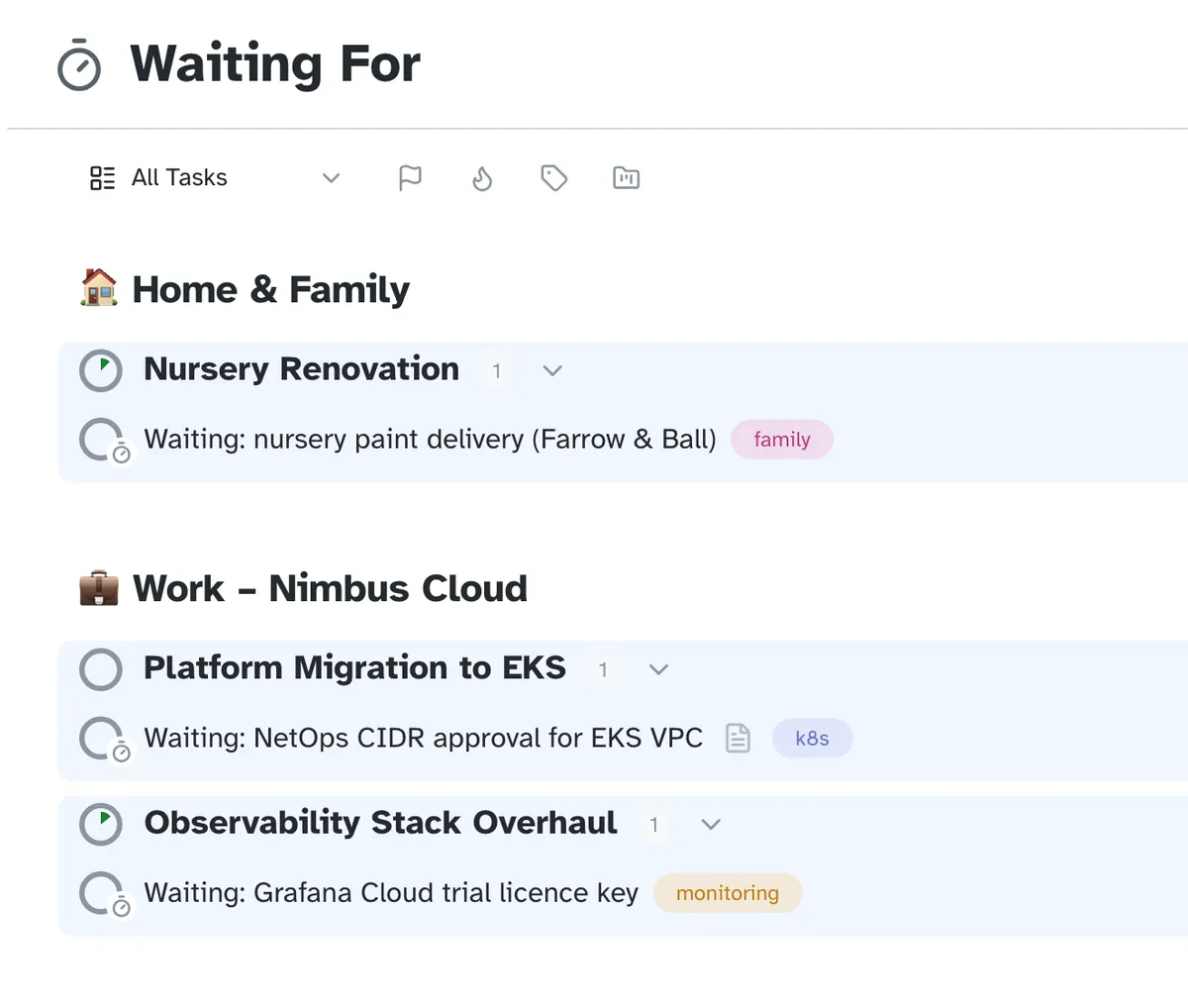
Keep track of what you're waiting on
Put it in Waiting For and it stays visible, without nagging anyone.
What you'd give up
- Anything shared. Irkless is for one person, and doesn't replace your team's tool.
Use Asana for whatever your team works on together. Irkless sits beside it.
Written from what each app offered when this page was last updated. Check Asana's own site for current features and prices. Product names belong to their owners.
Irkless and Asana side by side
| Feature | Irkless | Asana |
|---|---|---|
| Works in a browser | Yes | Yes |
| Windows and Android apps | In early planning; the web app works on both | Yes |
| Mac and iPhone apps | In private beta | Yes |
| Waiting For list | Yes, and a Delegated list | Not built in |
| Someday list | Yes | Not built in |
| Start dates that hide a task | Yes | A start date that doesn't hide the task |
| A review of each project | Yes, each on its own schedule | Status updates, not a review |
| Files on tasks | Yes, up to 10 MB each | Yes |
| Shared lists | No, it's for one person | Yes, it's built for teams |
| Free plan | No: 30 days free, then $6 a month | Yes, for personal use |
| AI assistant connector | Yes, over MCP (beta) | Yes, MCP and AI features |
Checked against each app's own website in October 2026. Features change, so check Asana's before you decide.
Moving from Asana
- In Asana, export a project as CSV, open it in a spreadsheet and copy the column of task names.
- In Irkless, open a project or the Inbox and paste. Each line becomes a task, and a line indented under another becomes its subtask.
- Sort them at your own pace: into projects, Today, Someday or Waiting For.
Try it with this week's tasks
Paste your Asana list in on Monday and see by Friday whether it sticks. Thirty days free, no card, and Asana stays where it is until you decide.